Security policies
Prepare review-ready information security, access control, backup, and incident response policies.
For agencies, consultants, MSPs, and small B2B teams
TrustPack helps small teams organize security policies, questionnaire answers, evidence metadata, and readiness notes in a local-first workspace they control. Start free, then add AI assistance or guided human review when a buyer deadline or expiring questionnaire link matters.
Questions? Email hello@gettrustpack.com — usually reply within a day.
Documentation aid only. TrustPack is not a compliance certification, audit, legal opinion, or security guarantee.
Sample workspace
Product experience
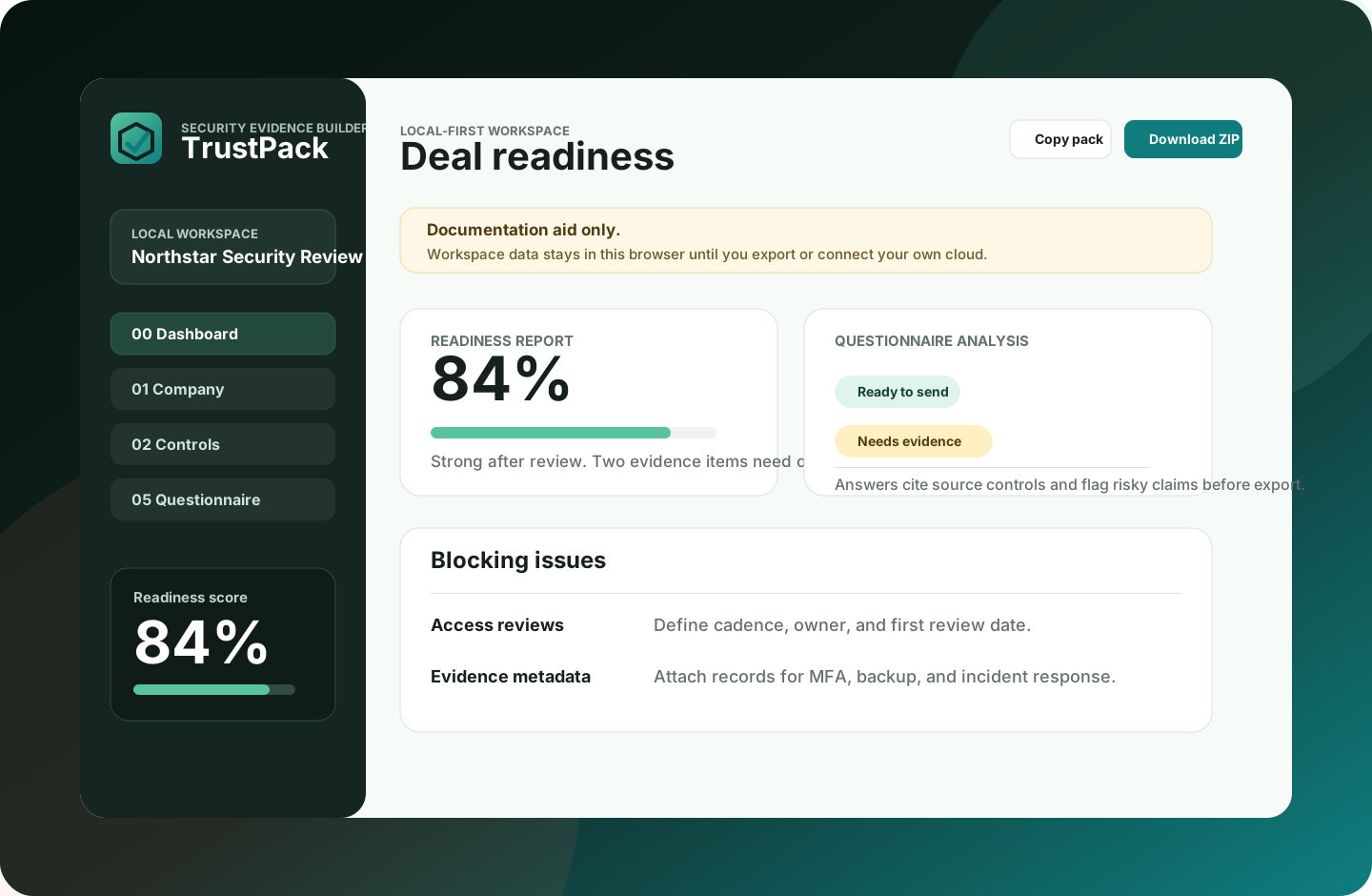
Local-first is the core promise: organize sensitive security answers in the browser, see what is ready, and choose exactly what to export. TrustPack makes status, evidence gaps, and next actions clear without making AI the center of the product.
A founder, consultant, or operations lead can see what is ready to send, what needs evidence, and what should be reviewed before a buyer receives it.
What you can send
Prepare review-ready information security, access control, backup, and incident response policies.
Paste prospect questions from temporary portals and get safer answers labeled by readiness, source, and evidence need.
Track metadata for screenshots, policies, logs, vendor pages, and config exports kept elsewhere.
See blockers, missing evidence, incomplete controls, and next actions before sending the pack.
Temporary questionnaire links
When a prospect sends a time-limited questionnaire link, TrustPack gives you a private pre-submission workspace: prepare answers, preserve what you submitted, and create a reusable record for the next review.
Bring questions from the temporary portal into TrustPack before answering from memory under deadline pressure.
See which answers are ready, which need evidence, and which should not be submitted as yes yet.
Export the answer set, evidence register, and readiness report so the work survives after the buyer link expires.
Who it is for
Free workspace, optional help
Not sure which path fits? Email hello@gettrustpack.com.
For teams that want to organize their own evidence pack locally.
For users who want smarter selected-question analysis without uploading the whole workspace by default.
For an active questionnaire, vendor review, or sales deadline that needs human judgment.
How it works
Bring questions from a portal, spreadsheet, PDF, form, or buyer email.
TrustPack explains the source, readiness status, and suggested evidence for each answer.
Export locally, ask about AI Assist, or book a guided review before sending externally.
Security and privacy
TrustPack keeps the current workspace in your browser instead of uploading evidence to a TrustPack server. That reduces server-side exposure, but it also means you are responsible for exports, backups, device access, and choosing what to share. Team sync and encrypted backup should be an explicit upgrade, not a hidden default. Your data never leaves your browser — that is a deliberate design decision, not a limitation. For backup, the next path is connecting your own Google Drive so the browser talks directly to your cloud account, not to TrustPack infrastructure.
Setup support
Book a focused setup to organize your basic controls, prepare safer questionnaire answers, and leave with an exportable evidence pack you can keep improving.
Book setup help
Share the package you are considering and the security questionnaire problem you want handled first. The form prepares a prefilled email so we can follow up with the right context.
No data is submitted automatically.